CATCH4D Upscaling · Troisdorf Tree detection and crown volume

Detecting individual tree crowns — and testing whether LiDAR height helps

Does LiDAR-derived height improve Mask R-CNN tree-crown detection? This CATCH4D Upscaling study tested it on RGB orthophotos of Troisdorf, extending the original RGB-to-LiDAR crown workflow.

Research question and study design

Baseline
Victoria Luise Pissulla’s master’s thesis trained Mask R-CNN to identify individual crowns in RGB orthophotos (ground sampling distance 20 cm). The workflow used LiDAR afterwards to estimate height and volume.
Extension
CATCH4D Upscaling tested a height layer as an additional input, particularly for touching crowns.
How it was tested

Two models used the same training data, settings and random seed: RGB only, and RGB plus relative height (height above nearby surroundings). Both were evaluated on ten test patches with 277 reference crowns.

Result

For this dataset and workflow, adding the tested relative-height layer did not improve detection.

Two models trained under the same conditions

277 reference crowns. A found crown is a correct detection (true positive), a false alarm a detection without a matching crown (false positive), a missed crown a reference crown without a detection (false negative). F1 combines precision and recall (see Method); higher is better.

What happened to each crown

The models found different crowns. Each model was trained once; variation between training runs was not measured, so individual changes cannot be attributed to height alone.

What this does not mean

  • It does not show that height is useless for finding trees. One height representation, one way of combining it with colour, one network and one training run per model were tested.
  • It does not show whether plain height above ground would work better; that model was not part of the controlled comparison.
  • The scores describe the ten test patches; accuracy across the whole town was not measured.

Explore every test crown Read the full notebook

Explore the test set

Select a test patch, then click a crown or a detection box to inspect the recorded result. All ten test patches and 277 reference crowns are included.

Outlines are hand-drawn reference crowns; rectangles are detection boxes. Scoring used predicted pixel masks, so box overlap alone does not establish a correct detection.

Table of all crowns in this patch

Data

The dataset contains 1,220 patches of 512 × 512 pixels, each covering 102.4 m × 102.4 m. Images, reference crowns and aligned height layers are included. The split is shown below.

Sources

  • Orthophotos: Geobasis NRW, InVeKoS digital orthophotos (DOP), August 2024, ground sampling distance 20 cm; the RGB bands were used.
  • Height: Geobasis NRW digital surface model (DOM1) and digital terrain model (DGM1), 2022, 1 m grid, derived from airborne LiDAR. Height above ground (normalised digital surface model, nDSM) = DOM1 − DGM1, resampled onto each patch grid.
  • Reference crowns: drawn for the original thesis (LabelMe polygons, class tree).

Download and reuse

Location of all 1,220 patches by split (EPSG:25832, km). Numbers mark the test patches. The map shows locations only; it does not measure how independent the splits are.

Method

Mask R-CNN (Matterport implementation, ResNet-50 backbone) performs instance segmentation on 512 × 512 pixel patches. The comparison adds relative height as a fourth image channel, initialised from the mean of the RGB input filters.

Height above ground and relative height are different inputs

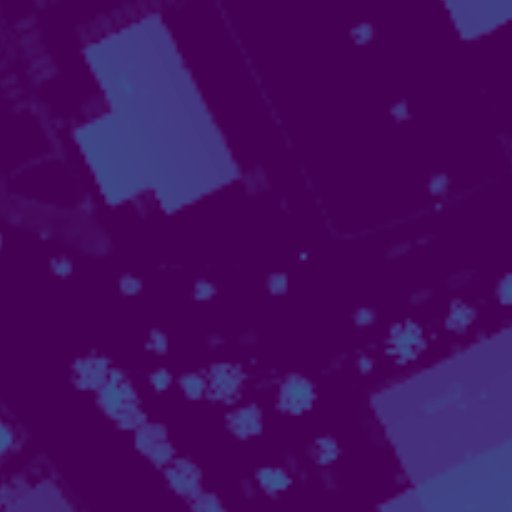
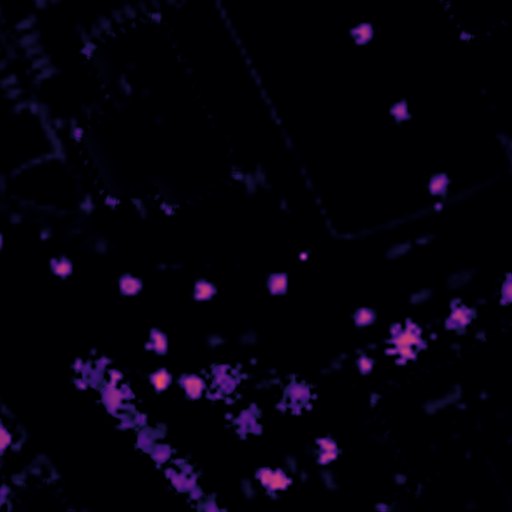
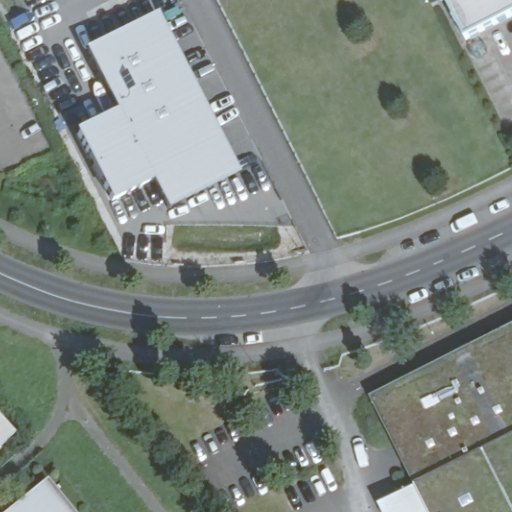
The same scene can be represented by colour, height above terrain, or height above nearby surroundings. The panels below show one recorded evaluation patch.

RGB evaluation patch with a road, buildings, scattered trees and touching crowns at the lower left.
RGB appearance. Colour and texture show the visible objects, shadows and crown edges.
Height-above-ground display for the same patch showing elevated roofs and vegetation.
nDSM. Height above terrain includes roofs as well as tree crowns.
Relative-height display for the same patch, with local elevated features highlighted and broad roof interiors subdued.
Relative height. Local height differences stand out, while some broad elevated surfaces become less prominent.

The same evaluation patch in all three panels: 512 × 512 pixels, approximately 102.4 m × 102.4 m on the image grid. The height panels are colour displays of the existing input layers, not vegetation classifications or model predictions. Their colours represent different quantities and should not be compared as a shared numerical scale. Select an image to open it at full size, or inspect the layers and crown annotations in the tree-detection explorer.

A broad elevated surface can have low relative-height values even when it is high above ground. The transform changes which spatial differences stand out.

The normalised digital surface model is nDSM = max(DOM1 − DGM1, 0). Let S = Gaussian(nDSM, σ = 1 pixel). The relative-height feature is the white top-hat: Hrel = S − opening(S, disk radius = 12 pixels). On the model-aligned 0.2 m grid, that radius is 2.4 m. The feature emphasises local height above nearby surroundings.

Raw nDSM is clipped to 0–35 m and relative height to 0–13 m; each is scaled to 0–255 for model input. The controlled comparison used relative height. The separately trained raw-nDSM model is historical context, not a third controlled arm.

Why this height representation was tested

An initial diagnostic examined height differences between crowns and nearby background. An exploratory raw-nDSM run followed, but its comparison with the older thesis detector was not controlled because their training conditions differed. A subsequent diagnostic examined whether height could help separate touching crowns and informed the choice of relative height. The matched RGB-only versus RGB + relative-height experiment is the controlled comparison reported here.

Published studies also report different outcomes: Lucena et al. (2022) found an improvement when combining RGB and elevation imagery for orange-tree crowns, whereas Ruschhaupt et al. (2025) reported no improvement from additional height input in their tree-crown experiments. Differences in vegetation, sensors and training design limit direct comparisons.

Scoring and study limits

How a detection is scored

  1. Each hand-drawn polygon becomes one reference crown.
  2. Detections with a confidence of at least 0.70 are taken from the most to the least confident.
  3. A detection is matched to the not-yet-claimed reference crown whose mask overlaps its predicted mask most, provided the intersection over union (IoU: area of overlap divided by area of union) is at least 0.50.
  4. Matched detections are found crowns, unmatched ones are false alarms, and unclaimed crowns are misses.

Precision is the share of detections that are correct, recall the share of reference crowns found, and F1 their harmonic mean. AP50 (average precision at IoU 0.50) summarises the trade-off between precision and recall as detections are added in order of confidence; here it is calculated per test patch from detections with confidence ≥ 0.70 and averaged over the ten patches. A confidence score is the model's own rating, not the probability that a detection is correct.

Limits that apply to every number

  • 10 test patches, 277 annotation instances (about 273 physical trees).
  • One training run for each model in the controlled comparison, with the same random seed; variation between repeated training runs was not measured.
  • The height representation was chosen after diagnostics that looked at the same test patches.
  • The height layers come from 1 m elevation models and are much coarser than the 20 cm imagery; the LiDAR data are from 2022, the orthophotos from 2024.
Other saved models (historical context)

The four trained models

Only the two models of the controlled comparison may be compared directly. The thesis model was not retrained with the same recipe, and the height-above-ground model was trained separately without a fixed seed; they are shown for context, not as a ranking.

Go deeper

Open the QGIS project; opening and field guide.